
Built to move faster.
Leave unused theme code and plugin scripts behind. A focused website can deliver lighter pages, faster interactions, and a better experience for every visitor.
Keep your design, content, and domain. Leave plugin headaches behind. Start at $39/month and switch to $9.99/month when you’re done building.
$39/month to build. Switch to $9.99/month when you’re done.
Return to $39/month whenever you want upgrades. See pricing details
Watch Marlow rebuild Gábor Barta’s WordPress website as custom code, from the original pages to the finished preview.
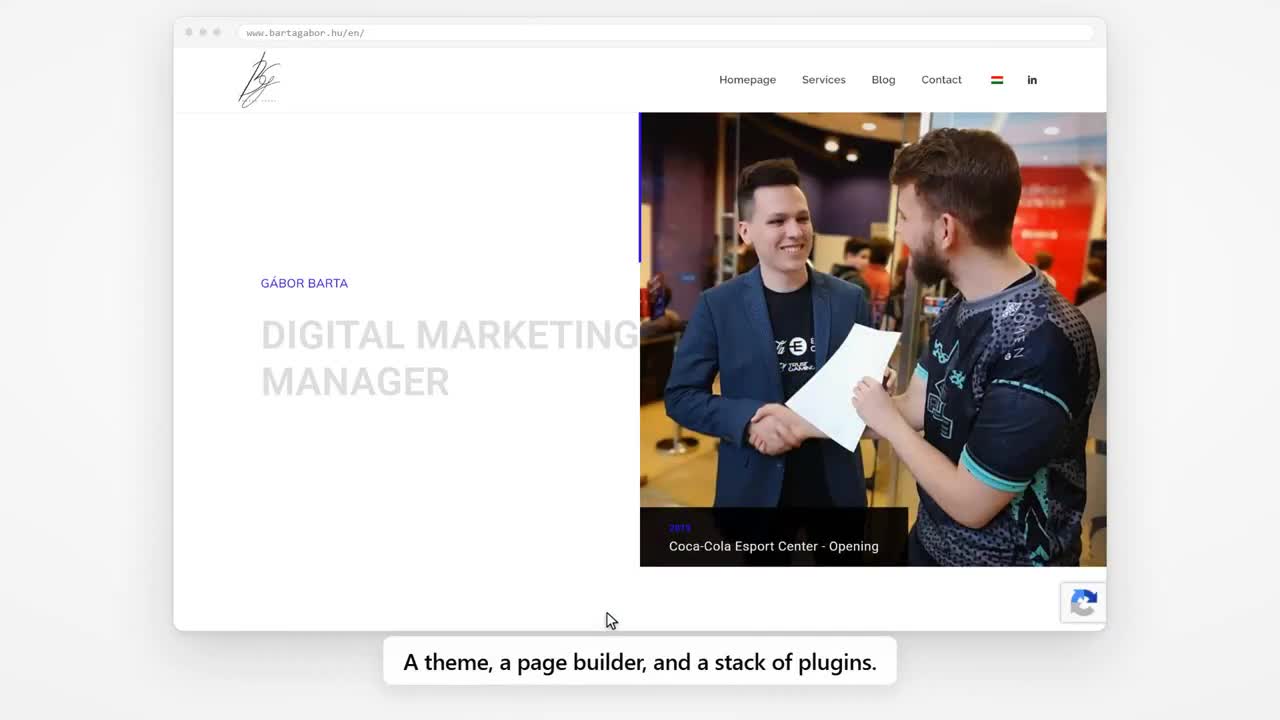
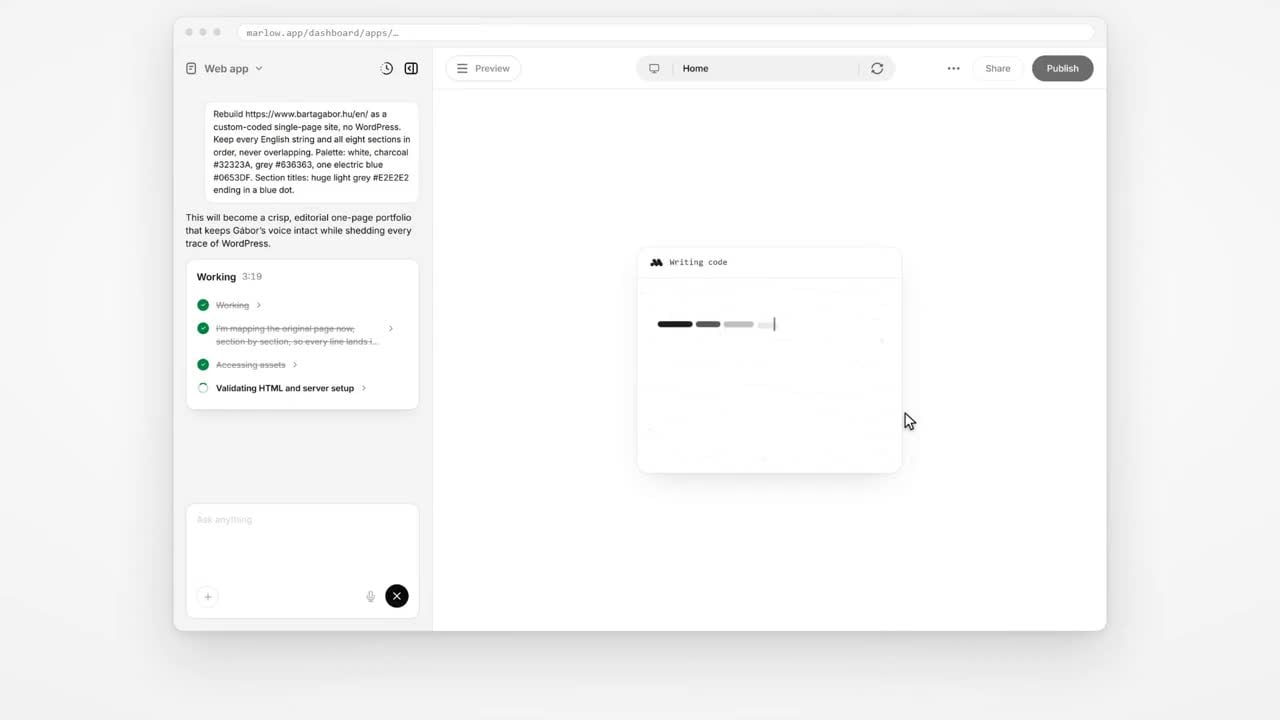
The recording is edited and does not establish total migration time. Before-and-after performance measurements and a separate published rebuilt-site link were not provided.
Keep what you love about your site. Ask Marlow to handle the move.
You don’t need to start from a blank page. Tell Marlow you want to migrate your current WordPress site, keeping the content and design you want to carry over.
“Migrate my existing WordPress site at [your website URL] to a codebase I own. Keep my content and design, and help me preserve my URLs and SEO.”
Share the features and integrations that matter. Marlow can help you work through what needs to come with you.
Give Marlow your existing website URL and ask it to migrate the site. Tell it which pages, design details, and features you want to keep.
Work with Marlow to bring your content and design into your own codebase. Review the migrated site and check forms, plugins, and integrations together.
Check URLs, redirects, and metadata before switching over. Once your migration is complete, maintain your site or ask Marlow for new features whenever you need them.
WordPress got you started. Your own codebase puts you in control of what comes next.
Leave unused theme code and plugin scripts behind. A focused website can deliver lighter pages, faster interactions, and a better experience for every visitor.
Reduce reliance on third-party plugins. Own your dependencies and build only what you need, with security updates and backups that stay part of the plan.
Take direct control of your page titles, structured data, internal links, and Core Web Vitals. Give search engines a clean, crawlable foundation.
Three short explainers about performance, security, and SEO. These illustrate the approach; they do not show a completed customer migration.
Migrate your existing WordPress site with Marlow, then reduce unnecessary theme files and plugin scripts so your content can load sooner.
Replace a stack of plugin dependencies with features built for your business, then keep your new site protected with a clear maintenance plan.
Take control of metadata, page structure, and crawlability. Learn the migration essentials that help search engines find your rebuilt website.
This move replaces WordPress with your own codebase. It is more than a hosting transfer: content, functionality, and search visibility each need a plan.
Export your content and media. Record indexed pages, top landing pages, traffic, titles, descriptions, canonicals, and internal links. List every form, plugin, and integration you rely on.
Keep useful content and existing URL paths wherever possible. Map each changed page to a relevant destination with a permanent 301 redirect. Transfer image alt text and check mobile layouts, forms, and crawlable HTML.
Check redirects, status codes, canonicals, and accidental noindex rules. Publish an updated sitemap, submit it in Google Search Console, and watch indexing, 404s, conversions, and organic traffic after launch.
These illustrative migration plans show what to discuss with Marlow. They are examples, not customer case studies or measured results.
Carry over your service pages, brand, images, contact forms, and local business details. Keep the pages your campaigns link to, then check enquiry forms and conversion tracking before switching.
Move articles, authors, dates, categories, and media. Preserve article URLs and useful internal links. Review pagination, feeds, structured data, and image references so older content stays discoverable.
Plan products, customer accounts, orders, subscriptions, and payment integrations separately. Validate data and checkout in a preview, with a cutover plan for changes made while the migration is underway.
Record a baseline on your current WordPress pages, then compare the same pages after migration using the same device and test conditions. These are Core Web Vitals targets, not results measured on your site.
Largest Contentful Paint measures how soon the main content appears. Reduce oversized images, blocking scripts, and slow responses.
Interaction to Next Paint measures responsiveness to clicks and taps. Keep scripts focused and check real forms, menus, and important interactions.
Cumulative Layout Shift measures visual stability. Reserve space for images and video, and use stable font loading to keep content from jumping.
Assess these targets at the 75th percentile of real visits. Use PageSpeed Insights and Search Console field data when available; lab checks help diagnose issues but do not replace real visitor data. Rankings and performance gains depend on the implementation.
One flexible rhythm for your website. Migrate and build at $39/month, step down when you’re done, and come back whenever you need more.
Build for a month, maintain for eleven? That’s $148.89/year in platform fees.
Domains, external hosting, and paid integrations may cost extra.
From protecting your search visibility to switching plans, here’s what to know.
Move away from WordPress without starting over. Start with your site, then build what’s next.
$39/mo to build. $9.99/mo to maintain.